
Daily Operations
Carry every planned service through the kitchen—and keep the complete record.
Breakfast, lunch, dinner, snacks, and any other configured service appear together on the day timeline. Kitchen personnel can see what is planned, start each service with its menu and ingredient requirements ready, then close it with the quantities actually served and the leftovers stored or disposed.
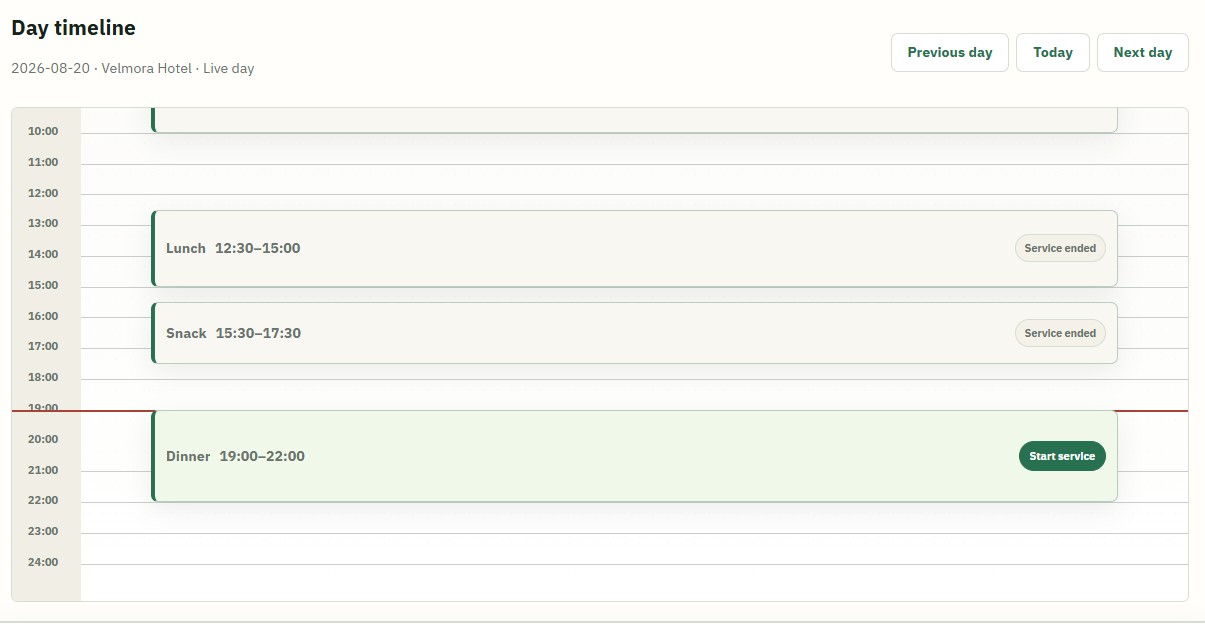
Before service
Start with the plan already assembled.
Starting a service opens the requirements for every planned dish. The kitchen first sees the total ingredients needed across the service, then the planned menu with each dish’s quantity, serving tray, and ingredient quantities.
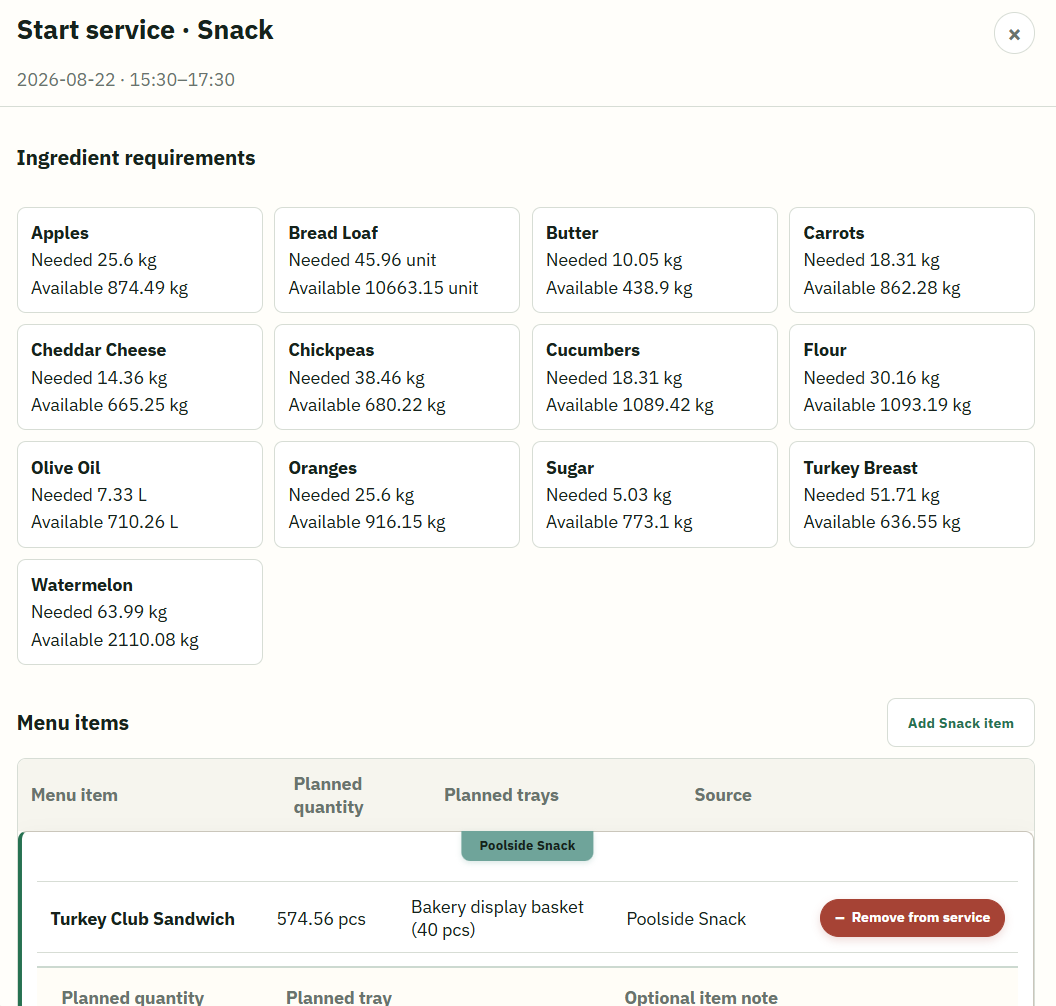
Check total ingredient requirements
Review what the full service needs and compare required quantities with available stock.
Review every planned dish
See the planned serving quantity, tray setup, and recipe quantities for each menu item.
Adjust the service list
Add a needed menu item or remove one that will not be prepared without changing the original template.
Use stored food deliberately
Assign eligible stored food as an ingredient replacement, as an extra, or as the same finished dish.
Service closeout
Record what was actually served—not only what was planned.
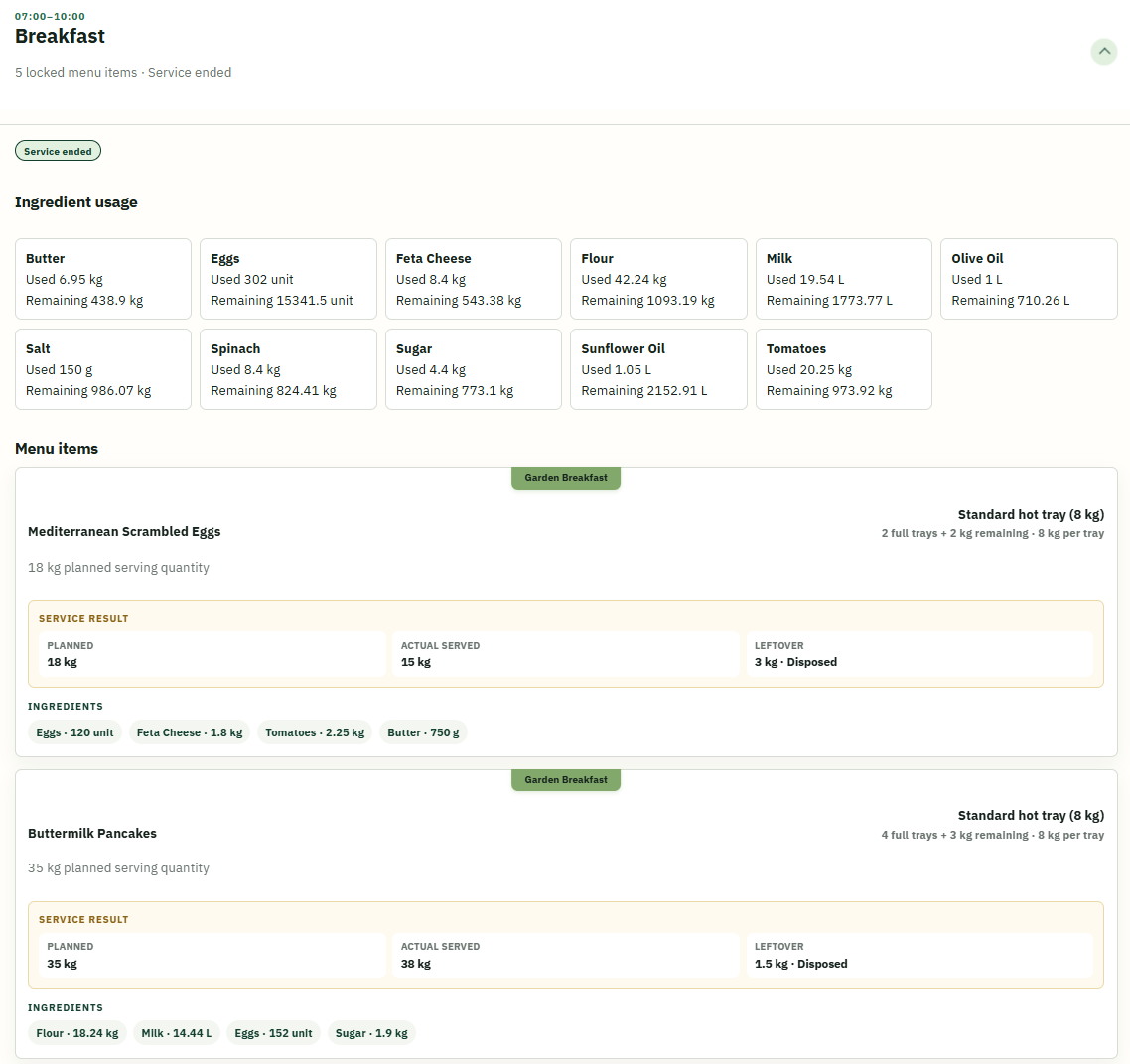
If the kitchen planned 20 kg but served 18 kg, the final quantity can be corrected before closing. A dish that was not served can be marked accordingly. Buffet Intelligence then revises ingredient usage from the confirmed service result.
Past services
The kitchen record remains available after the day is over.
Move to earlier days and open any service to see what happened without relying on memory or a paper notebook. The retained record shows what was planned, what was served, what reused food contributed, and how much food was stored or disposed.
- Planned and actual serving quantities
- Ingredient requirements and confirmed use
- Stored-food assignments and reuse
- Leftovers stored and leftovers disposed
See Daily Operations in context
Connect the planned menu to the service that actually happened.
Explore how kitchen teams move from preparation requirements to a complete operational record.
Book a demo