
Guests & feedback
Know who arrived—and what they thought.
Record the guest composition behind each service, then connect anonymous ratings, quick reasons, and comments to the exact venue, meal service, and dish.
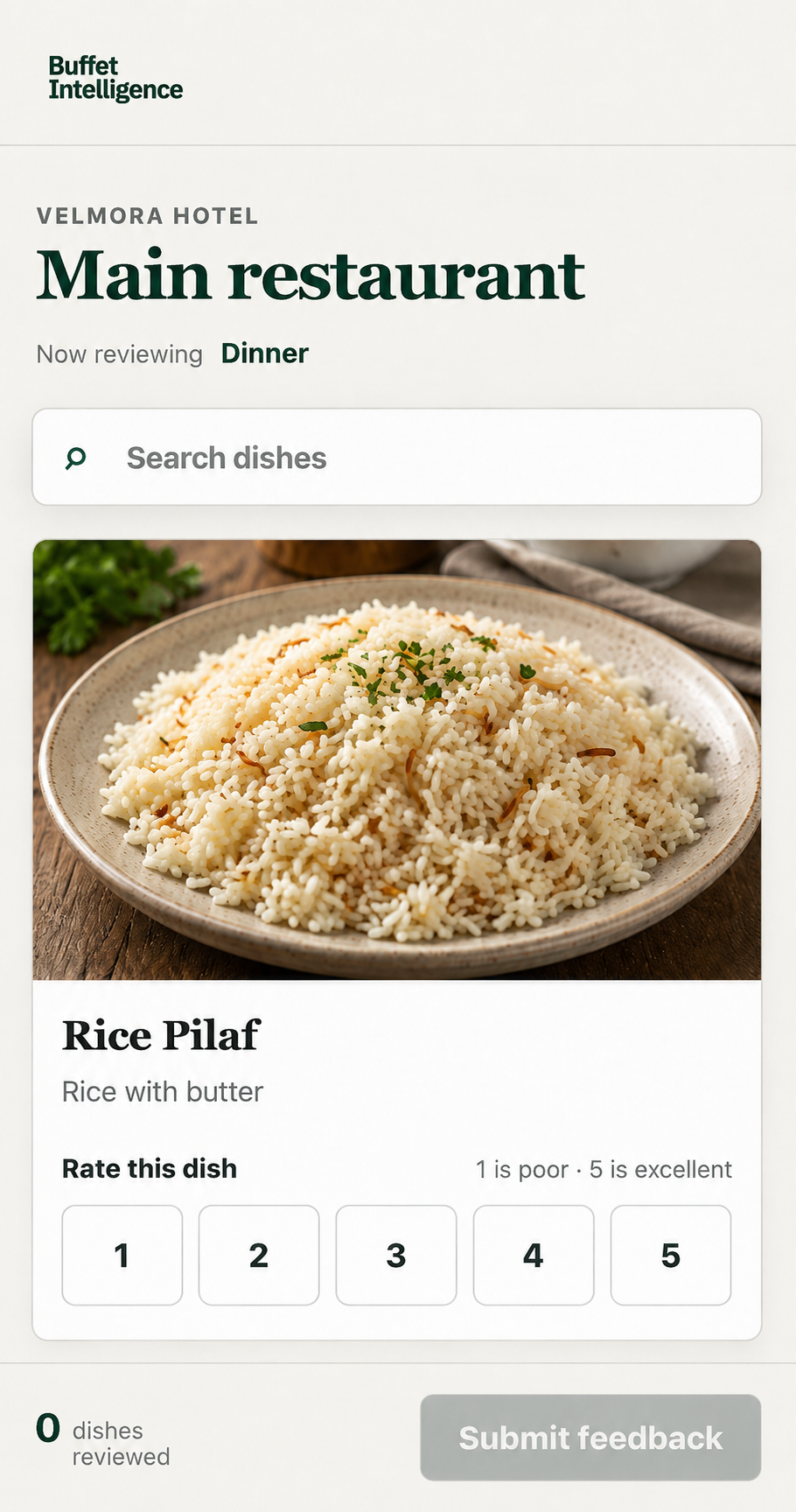
Guests select only the dishes they consumed and give each one a 1–5 star rating. That keeps the experience quick while avoiding a broad restaurant score that says little about what should change.
When context matters, hotel-defined reasons—such as cold, dry, too salty, overcooked, or not fresh—make recurring issues easy to identify. An optional comment remains available when the predefined reasons do not tell the full story.
Guest counts
Give every service the right demand context.
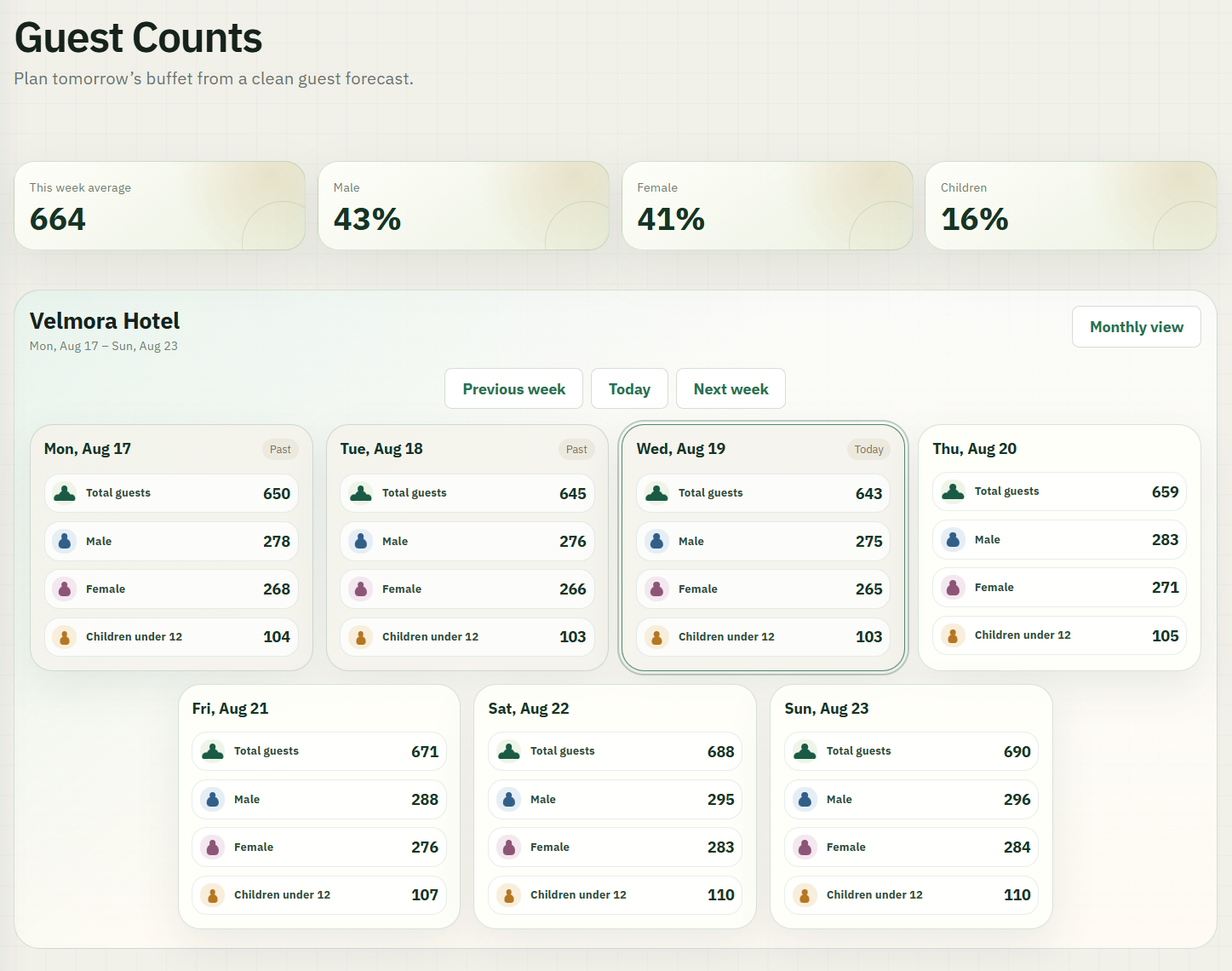
Front desk teams record the day’s total guests and the split between male, female, and children under 12. Weekly and monthly views turn that simple daily input into a usable picture of guest composition.
Average volume and composition percentages stay visible at the top of each view, so hotel teams can interpret production, consumption, and feedback against the guests actually on property.
One QR system, every dining setting
Choose exactly what each scan can review.
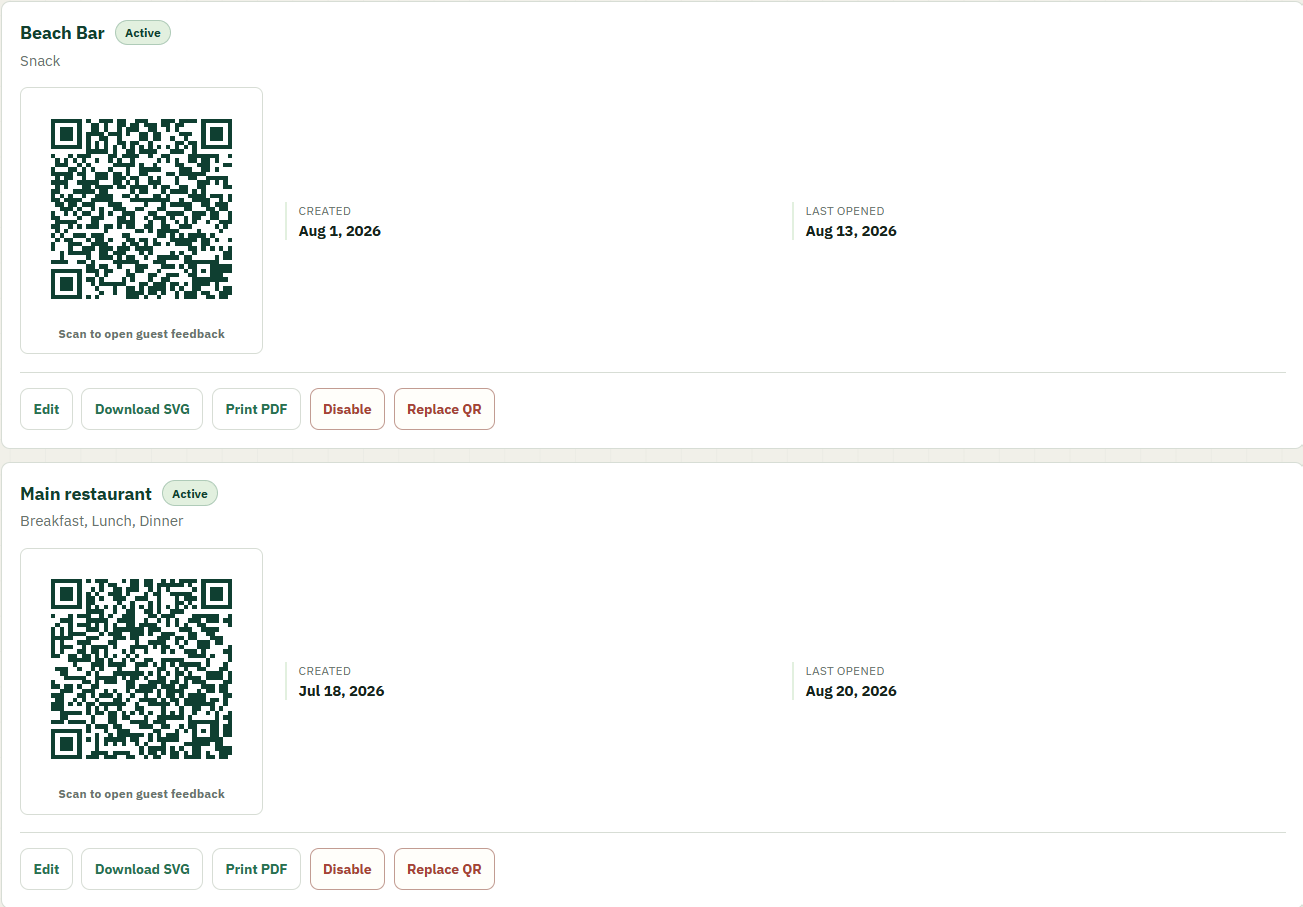
Use one QR code across current and future meal services, or create a dedicated access point for a specific setting—such as snacks served only at the pool bar.
The scan opens in the browser. During an active service, guests see the dishes actually being served; outside that window, they can choose from eligible completed services from the day.
Operational evidence
Move from general sentiment to a dish worth investigating.
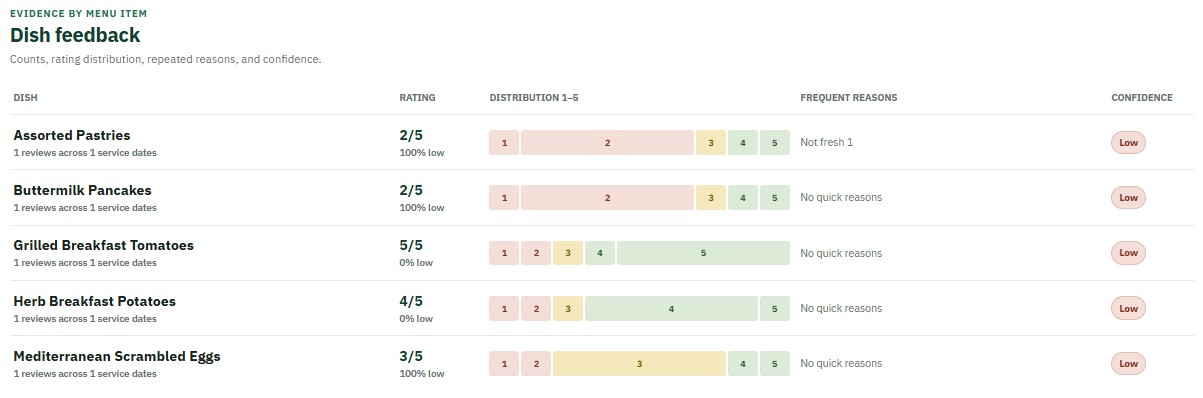
See average ratings, rating distributions, frequent reasons, review volume, and confidence for each menu item. Compare that evidence with guest counts, production, and leftovers to understand what happened during the service.
Replace a general complaint with an operational question:
“Did guests take more than they wanted—or did the dish disappoint them?”
See the complete picture
Connect guest demand with the guest voice.
Explore how counts and dish feedback connect with production, leftovers, and cost.
Book a demo