
Menu Planning
Plan the week. Know what every service requires.
See the complete dining week before preparation begins. Expected guests, scheduled meal services, and planned menus come together in one view, giving kitchen teams an early picture of the work ahead.
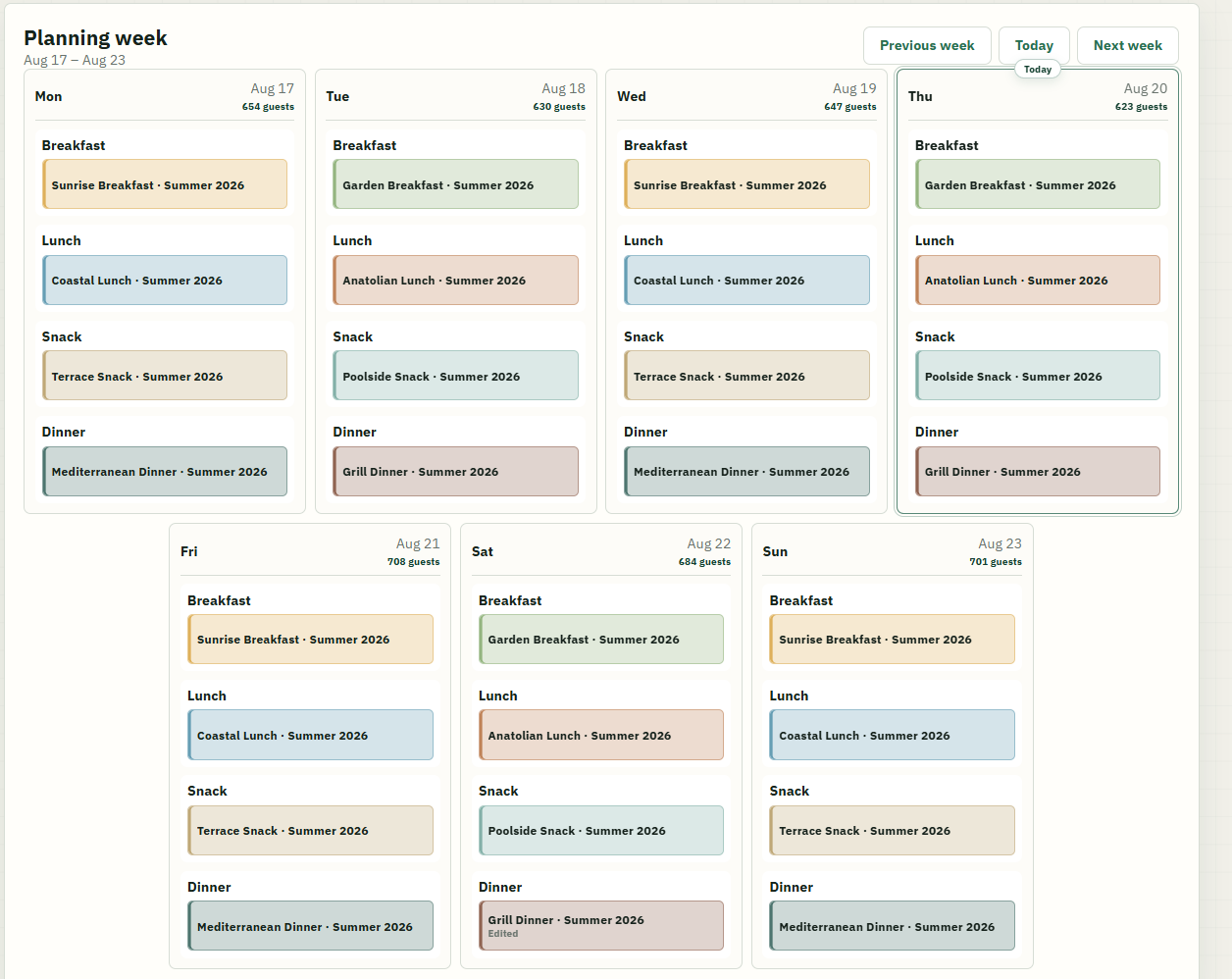
From week to day
Move from the weekly overview to exact preparation needs.
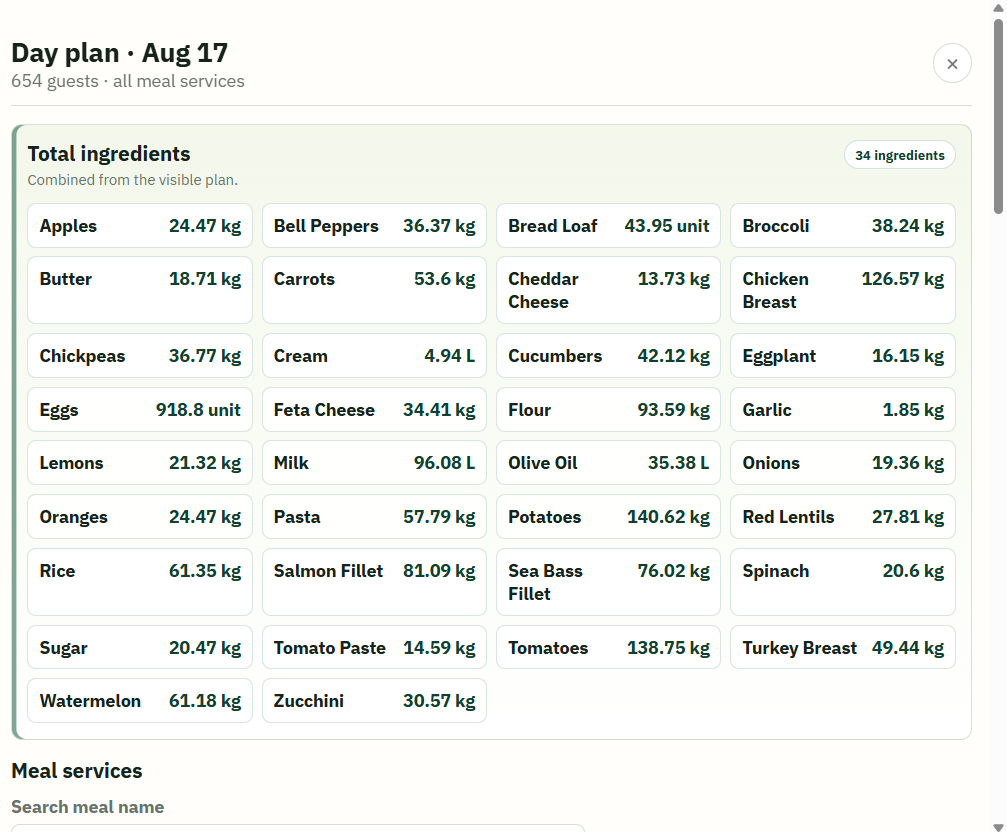
Open any day to see the combined ingredients required across all planned meal services, already calculated against that day’s guest count.
Narrow the view to one service to see its planned dishes and total ingredients—even when several menus contribute to it—or open an individual menu for the most specific view.
Menu items
Keep the recipe and production definition together.
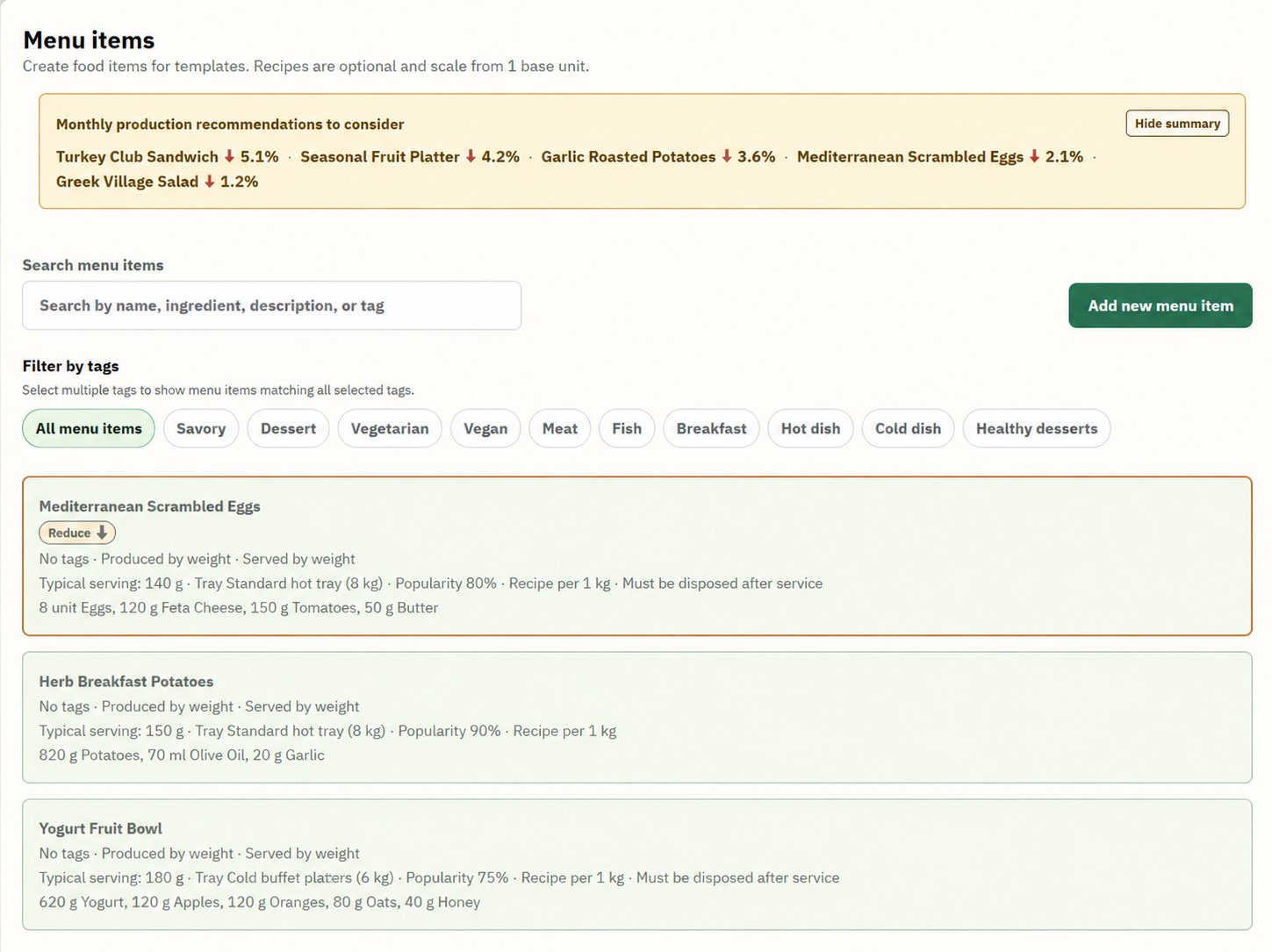
Each menu item defines how the dish is produced and served, along with its ingredient recipe. Those definitions allow guest counts and planned quantities to become usable ingredient requirements before the kitchen starts work.
As completed-service data accumulates, monthly production recommendations appear beside the same menu items, keeping the suggested change connected to the dish it affects.
Production recommendations
Use repeated service outcomes to adjust the next production target.
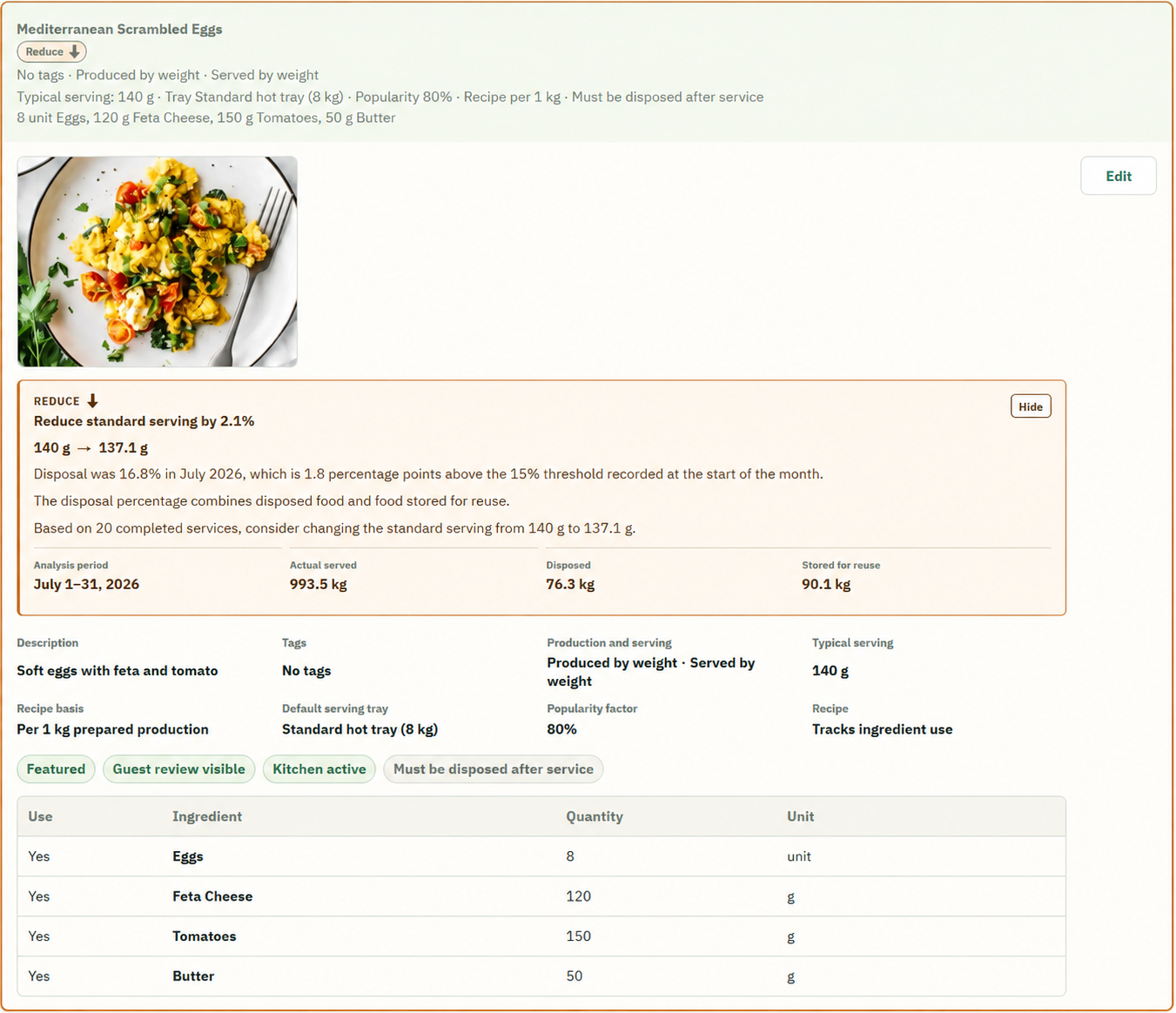
When completed services repeatedly return no food for disposal or reuse, Buffet Intelligence flags that the dish may need more production so trays are less likely to be left empty during service.
When food repeatedly comes back after service above the hotel’s configured threshold, the system recommends a percentage reduction to the standard serving. Later completed periods provide fresh evidence for the next recommendation.
Plan with operational context
Turn the expected week into a preparation plan the kitchen can use.
See weekly menus, ingredient requirements, recipes, and production recommendations together.
Book a demo